ERP for the metalworking industry
From quote to shipment, in one system.
SipductERP is built for manufacturers of ductwork, sheet-metal parts and HVAC accessories: cutting, bending, welding and assembly. Customers, project files, production, stock and logistics share the same data, in real time.
Request a demo Explore the product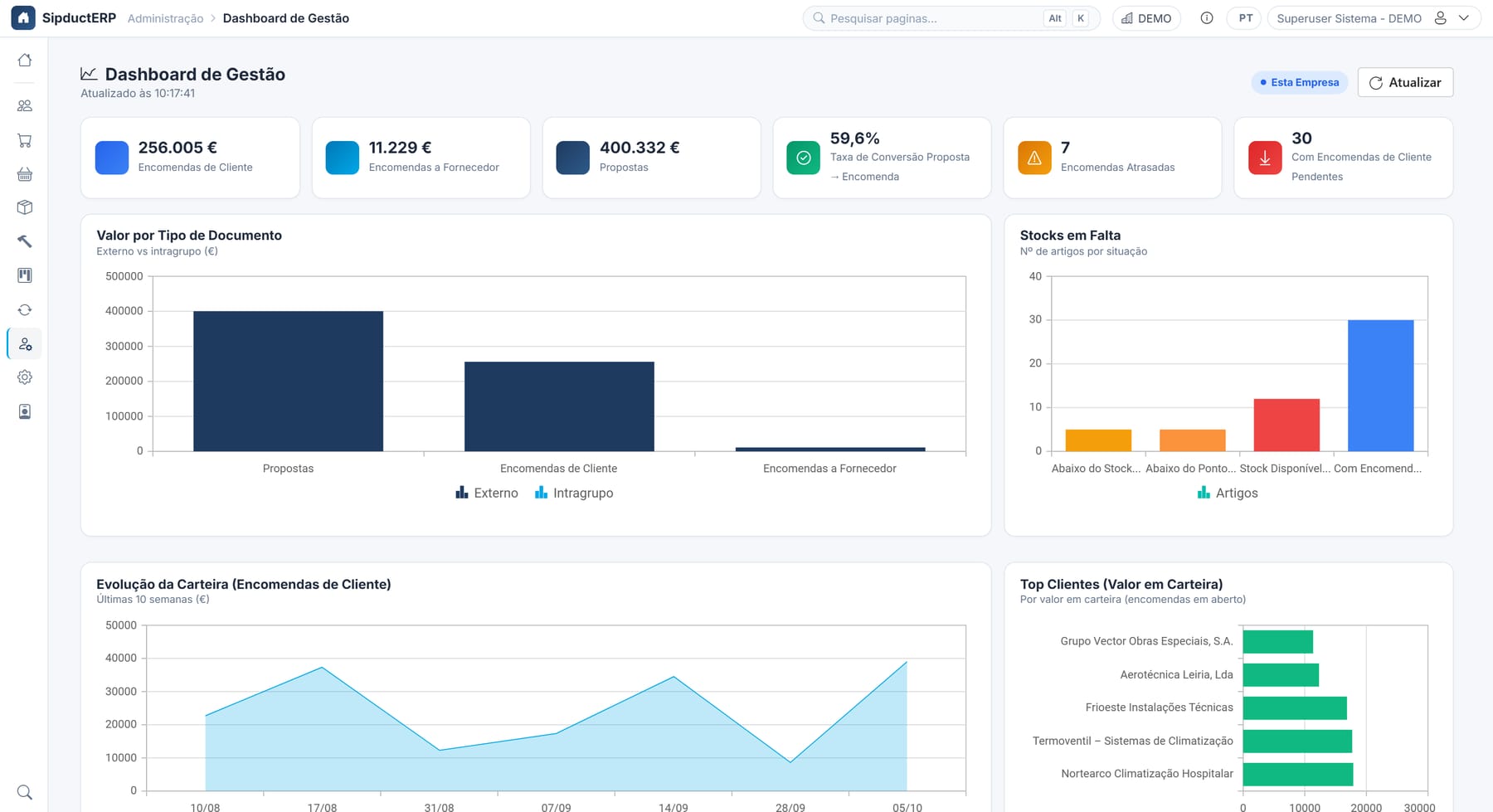
Dashboards
Your company at a glance, and performance in detail
The Management Dashboard shows the state of the business. The Performance Dashboard shows where time is lost.
- Order book, quotes and conversion rate
- Late orders and backlog ageing
- Lead time per stage: sales, award, production
- Planned vs. actual production, week by week
- Items below minimum stock or reorder point
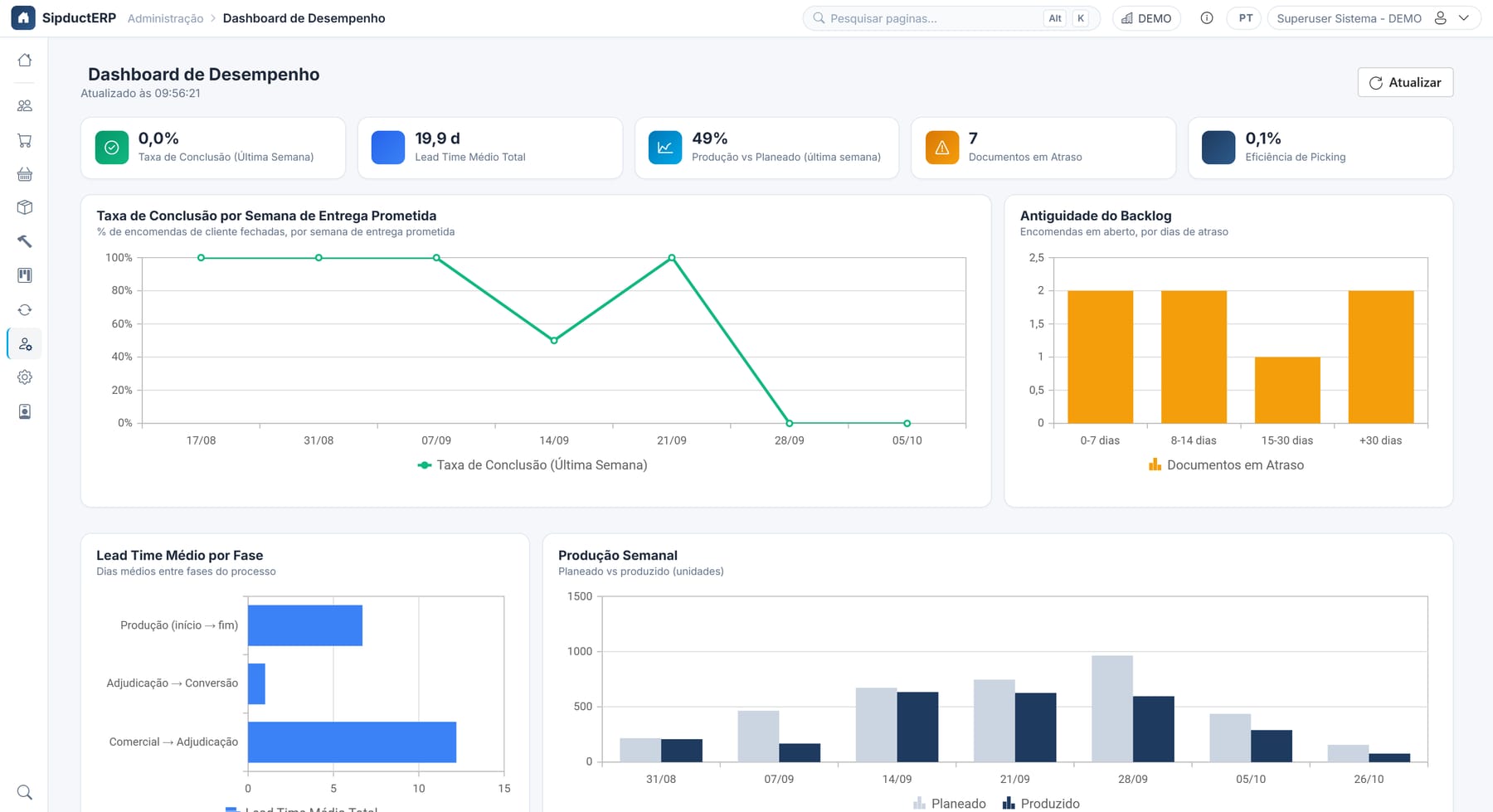
Performance Dashboard: completion rate, backlog, lead times and weekly output
Project files & document conversion
From quote to work order, without retyping anything
Each job has a project file with customer, site, lines, totals and related documents. Documents convert into one another and stay traceable back to their origin.
- Quote → Customer order, with award date
- Order → Work order, Purchase order or Intra-group order
- Stock check per line before converting
- Configurable conversion rules (workflow engine)
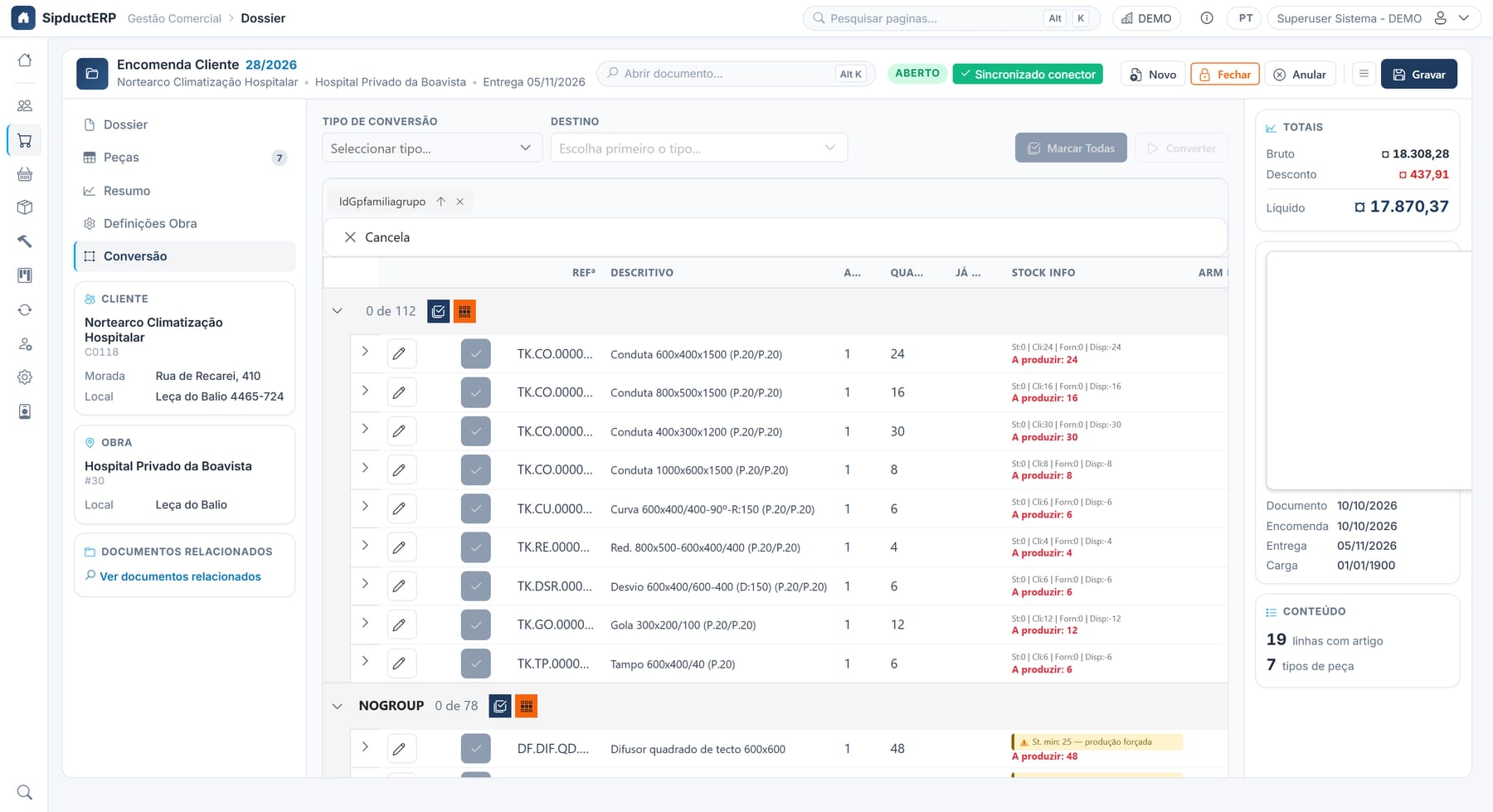
Converting an order with stock check and quantities to produce
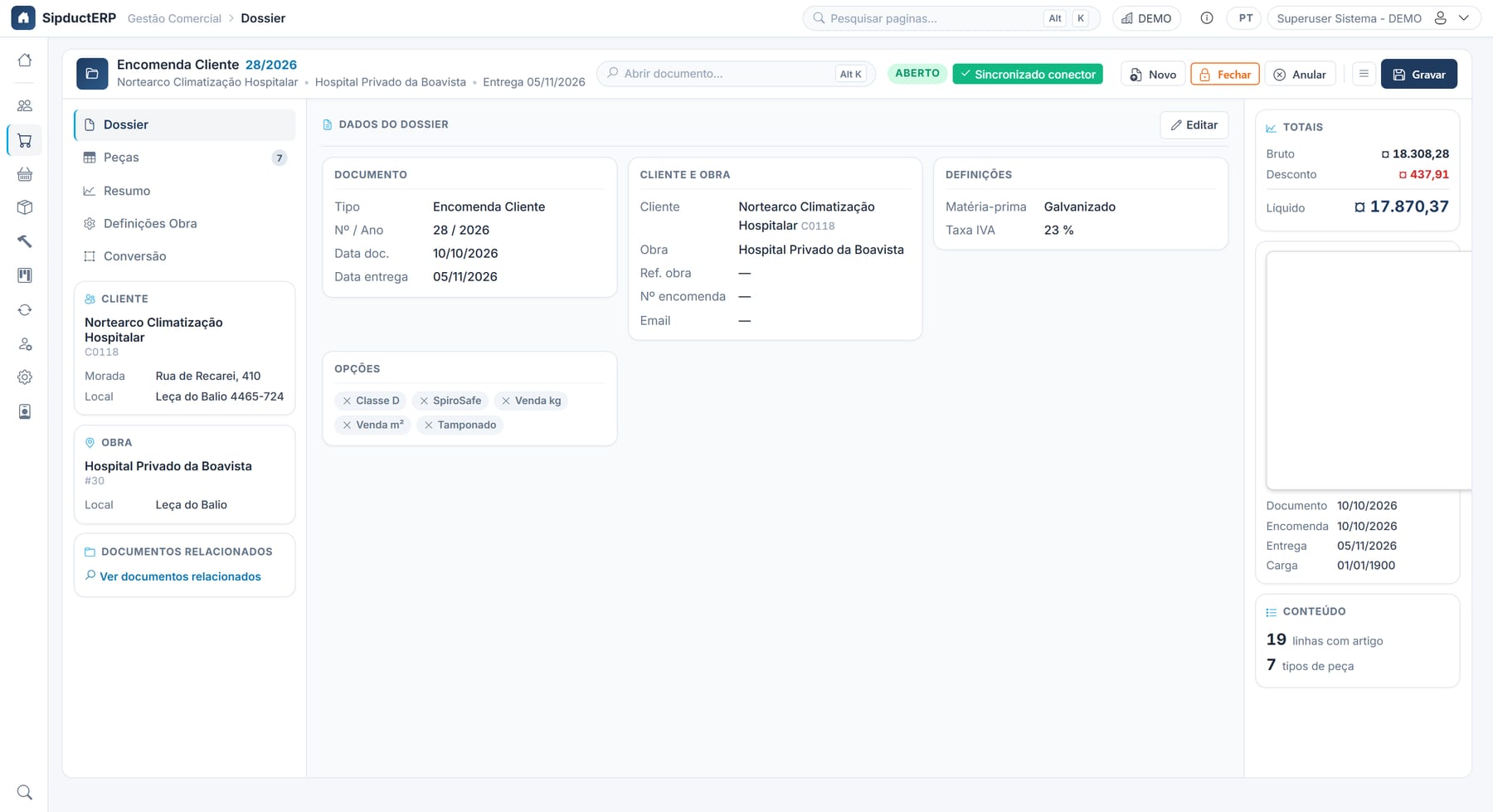
Order project file: customer, job, dates and totals
Parametric parts
Enter the dimensions, the ERP does the maths
Each part type has its own fields, formula and dimension drawing. The estimator enters the measurements, and everything else is calculated and saved in the project file.
- Straight ducts, bends, reducers, offsets, branches, collars, end caps, plenums…
- Area, weight and price calculated by formula, using the job’s thickness and joints
- Item code generated automatically for each part
- 3D preview of the part while editing
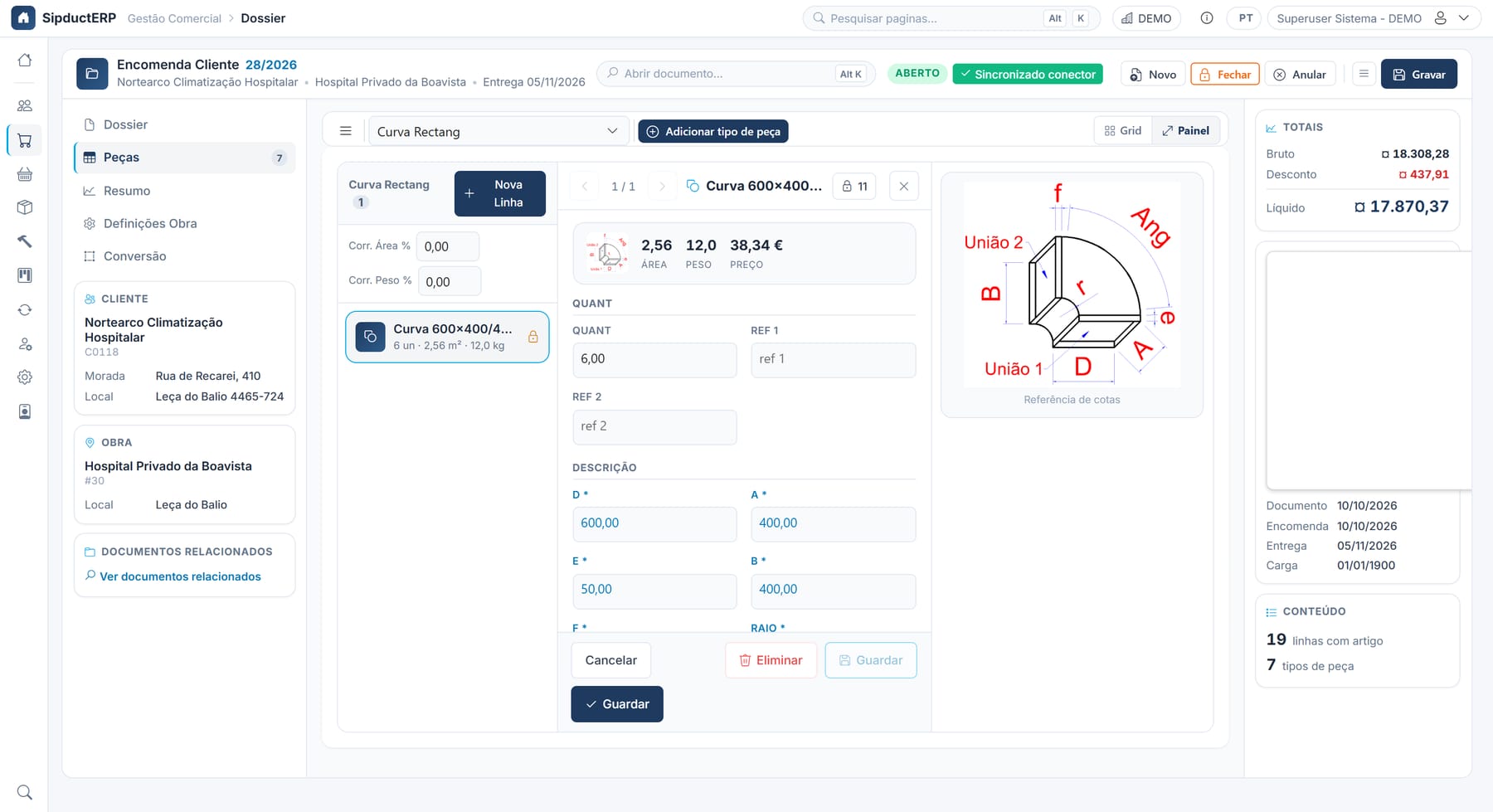
Rectangular bend: dimensions, reference drawing, area, weight and price
3D load planning
The truck organised before loading
The load engine takes the real geometry of each part and calculates how it fits in the vehicle, with or without pallets.
- Ducts, bends, reducers, offsets and end caps modelled in 3D
- Volume utilisation, total weight and length used
- Automatic overlap check
- Interactive viewer: rotate, zoom, select a part
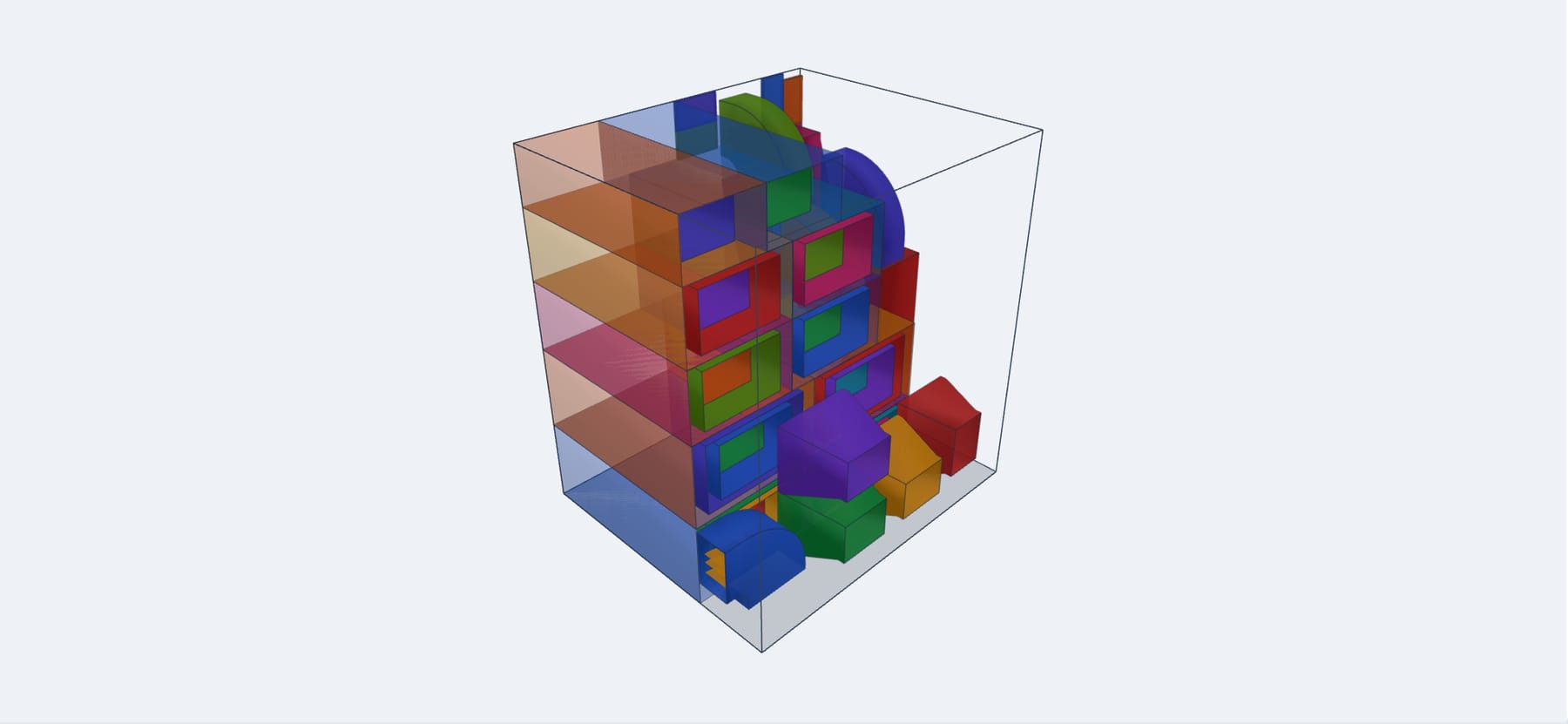
51 parts placed, 71% utilisation, no overlaps
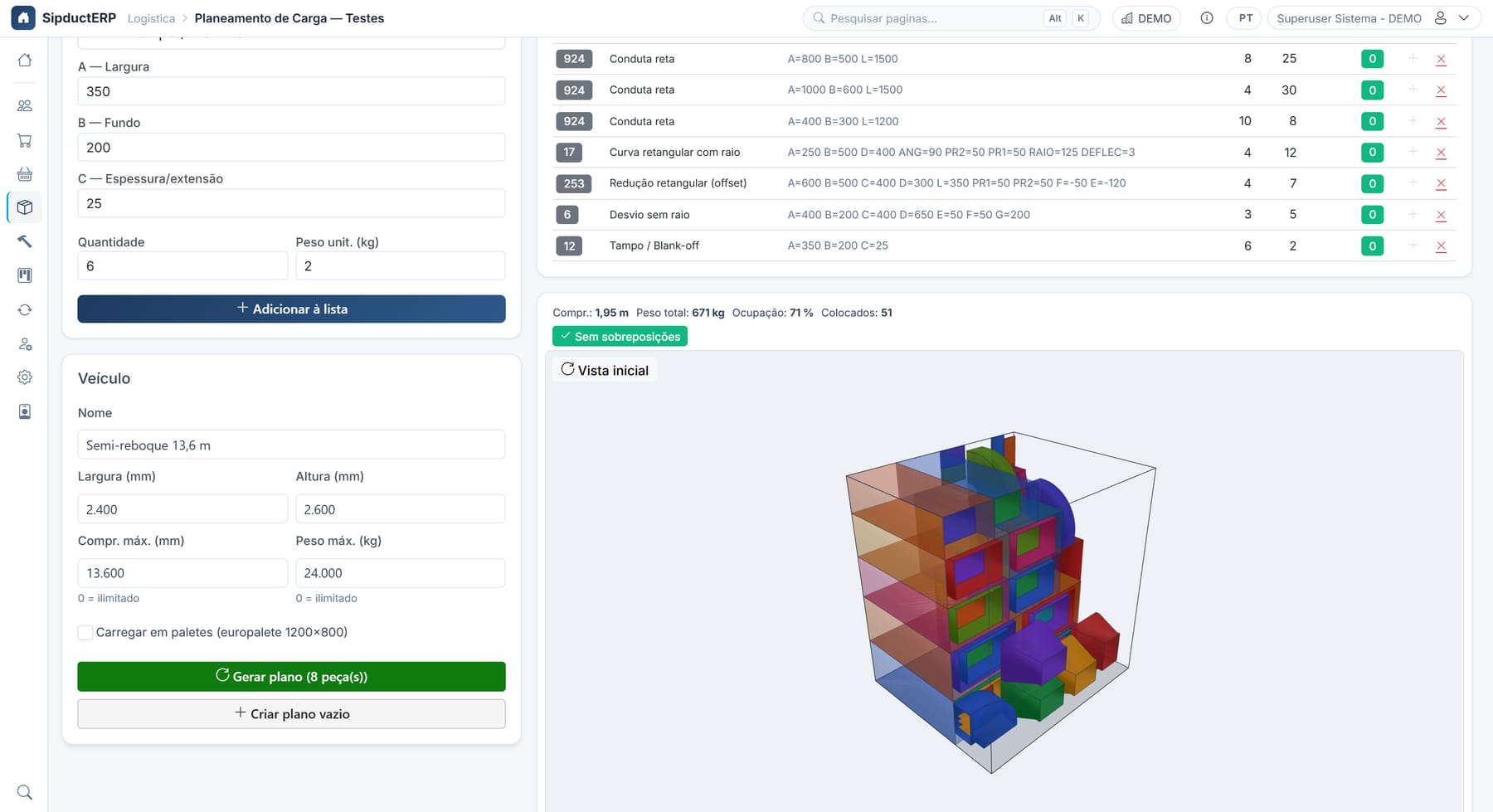
Parts list by family (CID), vehicle and result
Command centre
Every order, from start to finish
Search by customer, job or number and see, line by line, what is still to convert, in production, reserved or already delivered.
- Tabs for Lines, Work orders, Picking, Packing and Shipping
- Quick filters: converted, partially converted, closed
- Bill of materials and printing straight from the panel
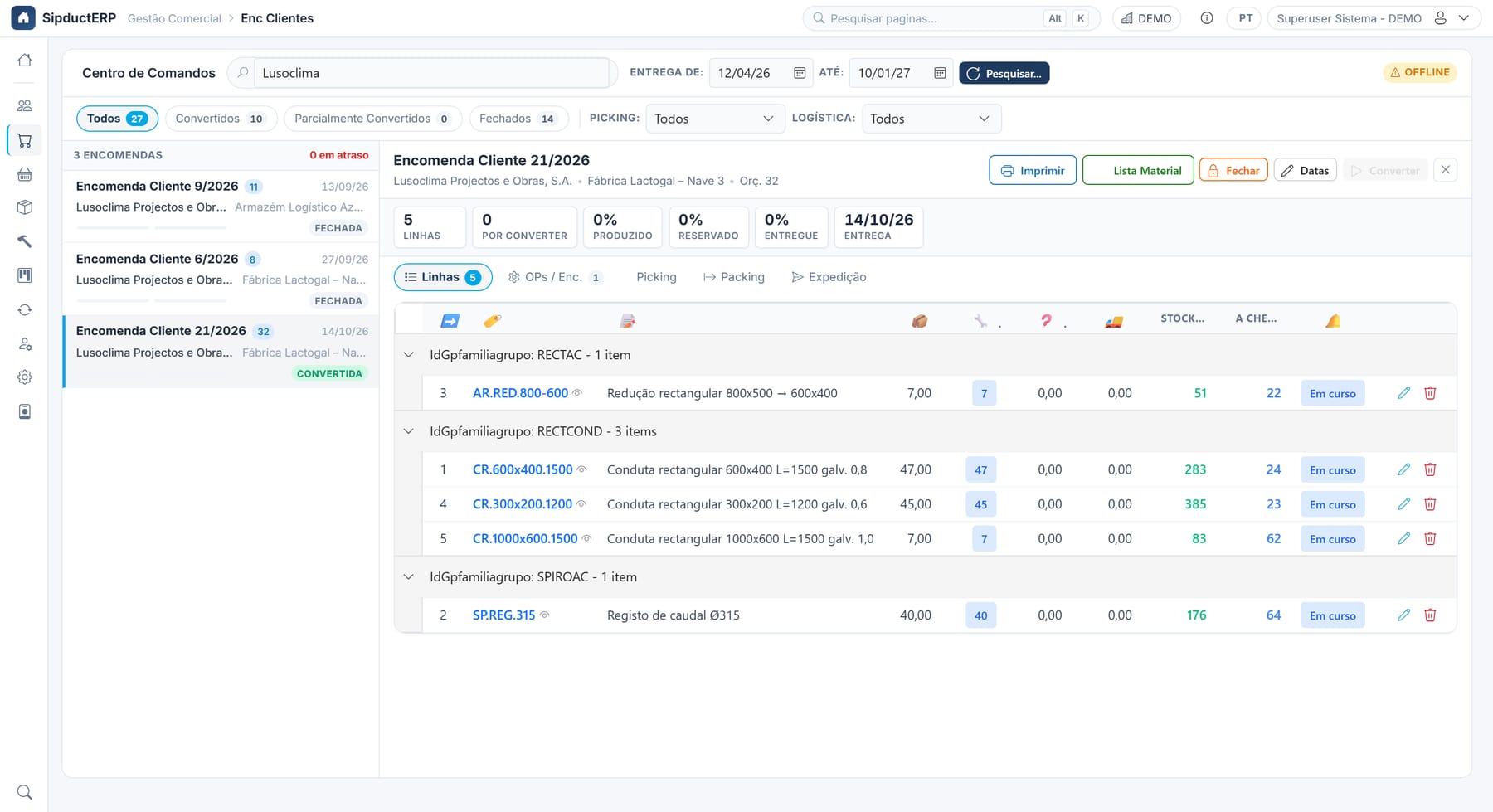
Command centre: status of every order line
Production
Production under control, part by part
Work orders are created from customer orders and show progress per line and per family. Late work orders stand out immediately.
- Progress per line, with quantity produced vs. ordered
- Kanban board by delivery day for the shop floor
- Planning by routing
- Manufacturing with label scanning
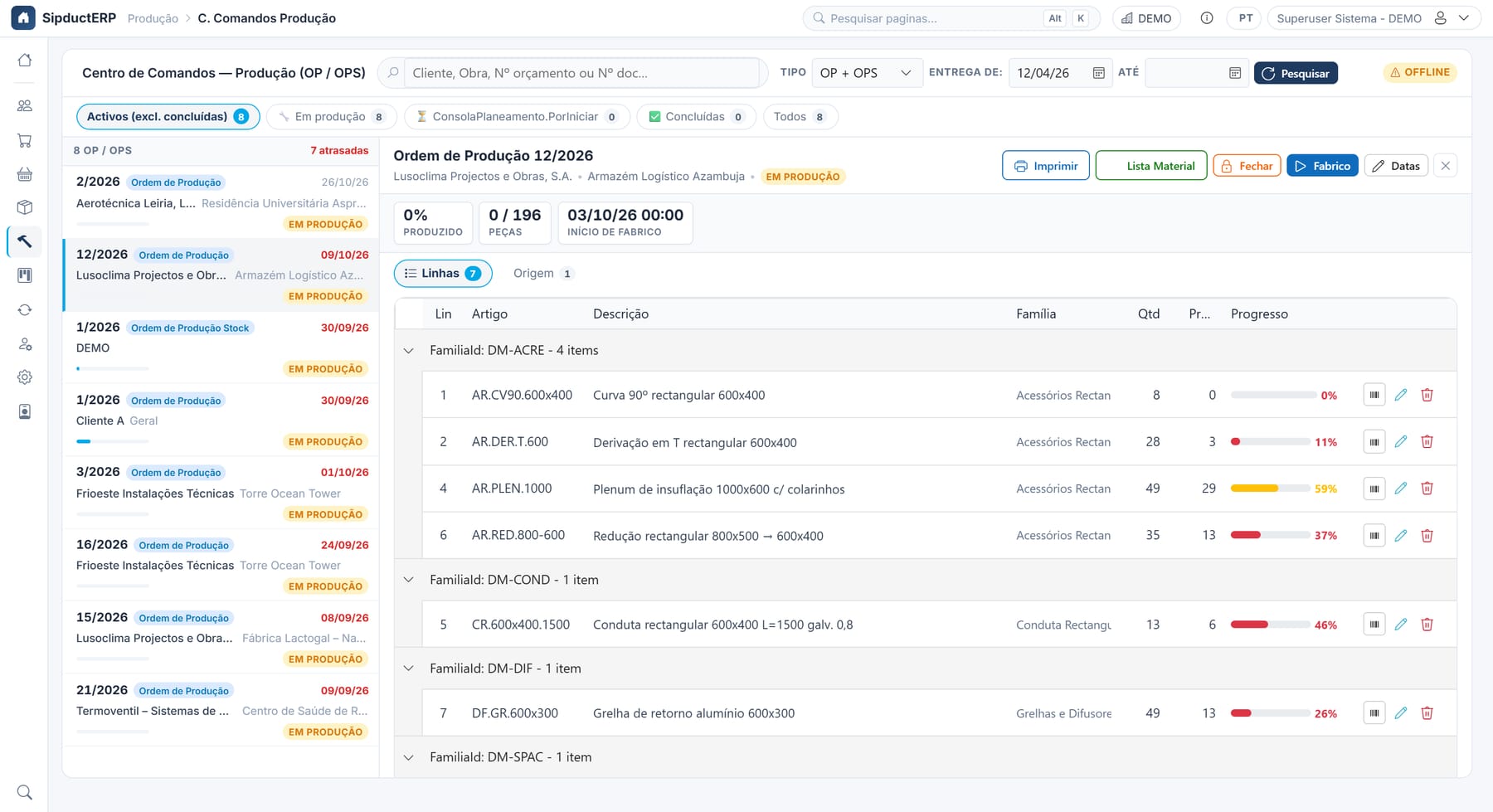
Production command centre: active work orders and progress per line
Stock & logistics
Real stock, real reservations
Every movement goes through the stock service. Balances, customer reservations and incoming material always add up.
- Global stock analysis by family group, with status (OK, < minimum, negative)
- Picking and packing per order, with Android handhelds
- Handling units, labels and batches
- 3D load planning to make the most of each truck
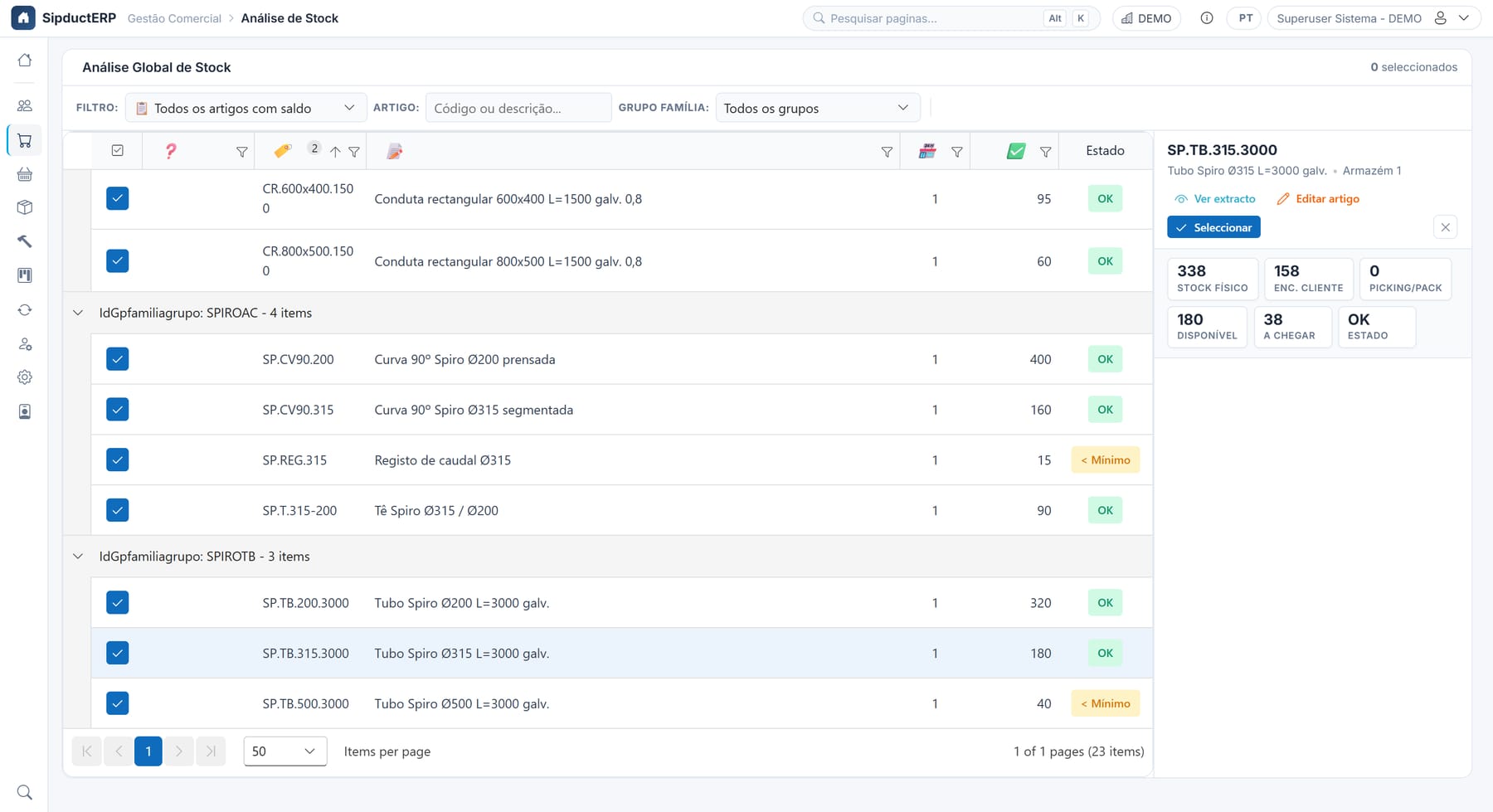
Global stock analysis: physical stock, customer orders, available and incoming
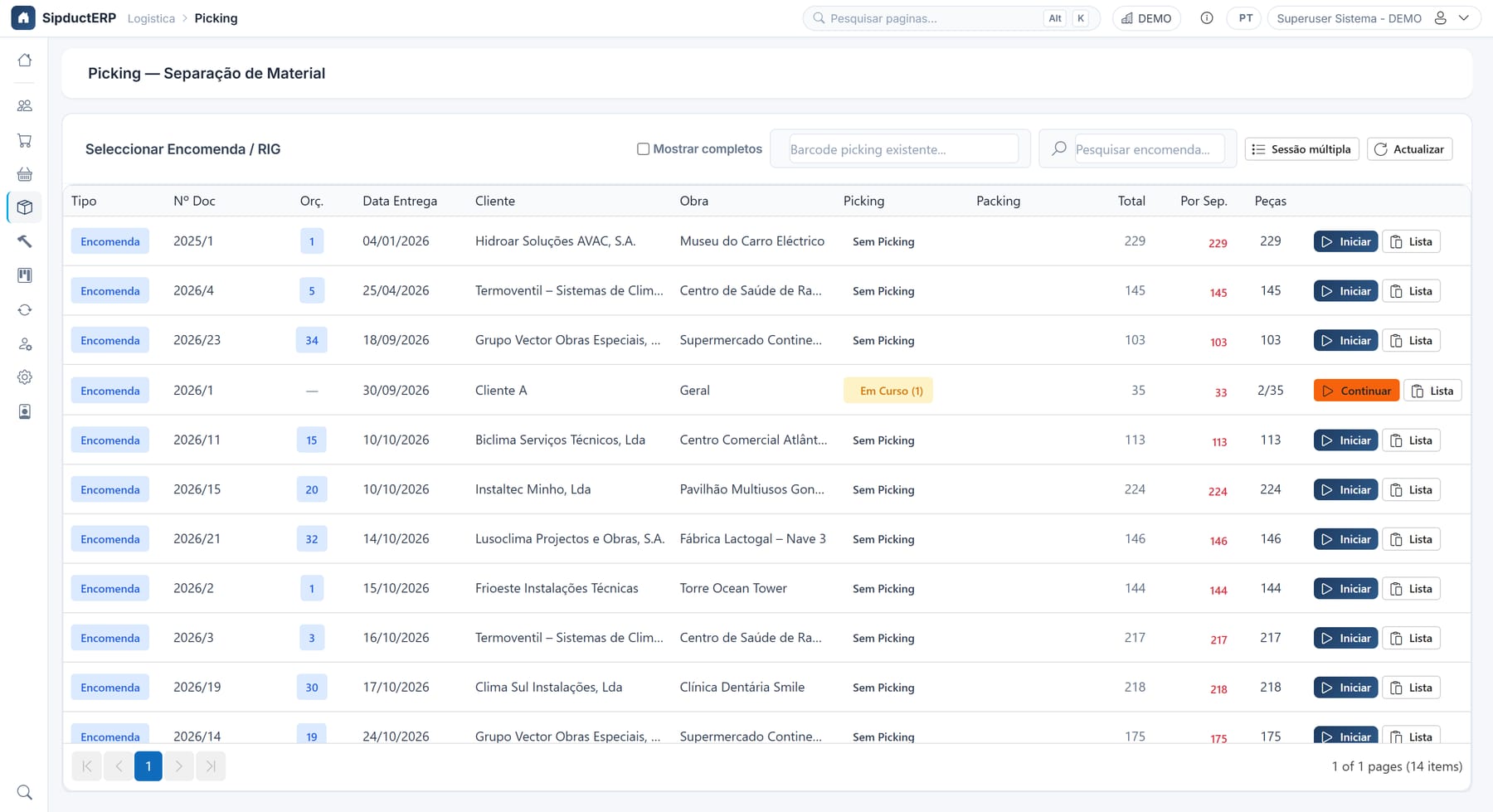
Picking: orders ready to pick
Customers & jobs
Everything about the customer, in one place
The customer record brings together what sales, production and shipping need to know.
- Jobs per customer, with delivery address
- Payment terms, credit and blocks
- Contacts, activities and special prices per customer
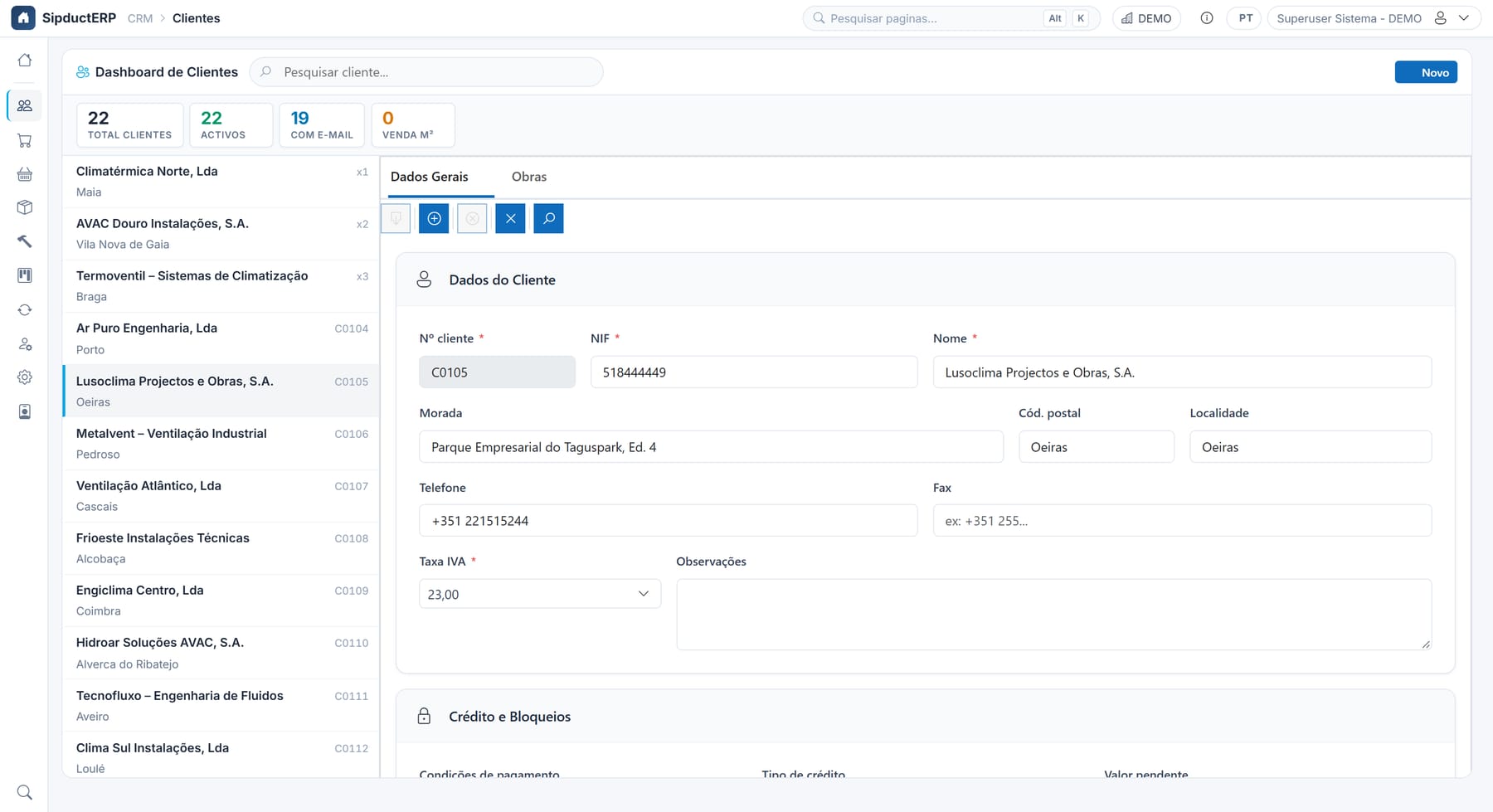
Customer dashboard
And there’s more…
Production board
Live Kanban by delivery day for the shop floor.
Multi-company and groups
Intra-group orders, consolidated view and access control per company.
Integrations
Connectors for PHC and other systems, with staging and validation.
Approvals
Approval rules and an inbox for sensitive documents.
Labels
Printing, reprinting and traceability for every unit produced.
Multilingual
Interface in Portuguese, English, Spanish, French and German.
Want to see it with your own data?
We’ll book a 30-minute demo, tailored to your manufacturing process.
Book a demoImages show the real product with fictitious demo data. Interface shown in Portuguese.